
Download APU Dynamics Optimizer 6.0.3 for Mac

| Name: | APU Software APU Dynamics Optimizer v6.0.3 U2B macOS MORiA.dmg.torrent (14M) |
|---|---|
| Version: | 6.0.3 |
| Operating System: | macOS |
| Program license: | Free |
| Developer: | APU Software |
| Interface language: | English |
Overview
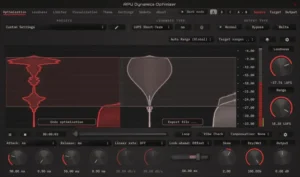
Hello friends, today we have brought you the best sound optimizer for Mac. Lets say that you finish a mix or some podcast episode, you play it back and you realize that some parts are too quiet and some parts are not. So, APU Dynamics Optimizer listens to the whole recording first and then decides how to change it. The app knows the full loudness range before it touch anything. It can gently push the bits up and then hold the loud bits down across the complete file. You can also pick how wide you want this range to be and how the levels should be.
This software is developed by APU software company that makes a whole series of loudness tools such as meter, leveler, compresser, llimiter and much more.
How the Dynamics Optimizer Works
This software is simple to use. Load your audio file, run the full analysis and press the Otimize button. Then you can adjust the file while you listen to the audio.
You can measure loudness in LUFS (momentary, short-term or integrated), RMS, peak or true peak. There’s also a choice of weighting curves, including K-weighting, which is what streaming loudness standards use. A built-in limiter with look-ahead catches any peaks before they clip.
Main Features
APU Dynamics Optimizer 6.0.3 for Mac Get Official
Screenshots
System Requirements
- Operating System: macOS 10.10 or later
- Processor: Apple Silicon (M1, M2, M3, M4, M5) or Intel Core 64-bit
- RAM: 8 GB minimum, 16 GB recommended
- Storage: 500 MB free disk space
✓What’s New in 6.0.3
- [Auto range] — Expands the axis as soon as content leaves the visible range, instead of waiting for a full axis step.
Download APU Dynamics Optimizer 6.0.3 for Mac Technical Setup Details
| Software Name | APU Software Dynamics Optimizer MacOS |
|---|---|
| Software File Name | APU Software Dynamics Optimizer v6.0.3.dmg |
| Version | v6.0.3 |
| File Size | 12 MB |
| File Extension | DMG |
| License Type | Premium |
| Developer | APU Software |
How to Download Download APU Dynamics Optimizer 6.0.3 for Mac
- Check the requirements. Make sure your MacOS version has 12 of free storage space.
- Click the Download button. Find the download button in this page and choose the version for your device (Apple Silicon, Intel, or 64-bit).
- Wait for the file to finish. Wait for the file to start downloading. Look for the [.dmg/.exe] file in your Downloads folder.
- Open the installer. Double-click it and follow the on-screen prompts. On Mac, drag the app into Applications.
- Launch and update.
- Open APU Dynamics Optimizer 6.0.3, allow any permissions, and install the latest update.
Posted in Application.
Alternative
 Download Noir – Dark Mode for Safari 2026.2.3 for MacApplication, Tools & Utilities · Nov 12, 2026
 Download Bear Notes 3.0.4 for MacApplication, Office, Productivity · Nov 23, 2026
 Download Bloom 1.5.50 for MacApplication, Tools & Utilities · Nov 23, 2026
 APU Harmonic DJ 1.3.6 for Mac | Download for MacApplication · Nov 25, 2026
 Download Space Drop 2.9 for Mac | Download for MacApplication, Tools & Utilities · Nov 25, 2026