
Download WebScraper 4.15.9 for Mac

| Name: | WebScraper 4.15.9 [TNT].dmg.torrent (5.8M) |
|---|---|
| Version: | 4.15.9 |
| Operating System: | macOS |
| Program license: | Free |
| Developer: | Integrity Software |
| Interface language: | English |
Overview
If you have a website which has everything published from the product name to price and description, if you want to save all the articles from that blog before it cshuts down then copying and pasting every page would take days to accomplish. We are introducing you Web Scraper for Mac which will act like a WebScraper for you. The process is simple, you enter a website address, the software will crawl every page and it will pull out everything you ask.
WebScraper is made by PeacockMedia, that has been developing Mac apps for website owners for many years. It is a proper native Mac app that will run on your desktop. It is not a browser extension or a cloud service. You do not need to write any code. You just simply need to tick what you want to export from the website.
The main reason of this software being so famous is that it is a true no code web scraper. You start it by typing the website’s address and let it scan completely. Then you will decide what you need to extract from the website. That can be meta data like titles, descriptions, HTML or Markdown. Next, you can choose the columns which you want and click on export. This is the whole process of it. This easy to use tool is what makes the webScraper a handy web scraper tool for all the people who just need the data and do not want to learn the Python.
WebScraper 4.15.9 for Mac Get Official
Screenshots
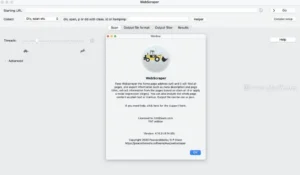
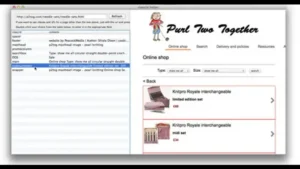
System Requirements
- OS: Mac OS 10.8 or above
- RAM: 256 MB
- HDD: 50 MB of free hard drive space
- CPU: 64-bit Intel processor
- Monitor: 1280×1024 monitor resolution
✓What’s New in 4.15.9
- Release notes for version 4.15.9 were not published on official sources at research time.
Download WebScraper 4.15.9 for Mac Technical Setup Details
| Mac Software Full Name | WebScraper for macOS |
|---|---|
| Version | 4.15.9 |
| Setup App File Name | WebScraper-4.15.9.dmg |
| Full Application Size | 6 MB |
| Setup Type | Offline Installer / Full Standalone Setup DMG Package |
| Compatibility Architecture | Apple-Intel Architecture |
| Latest Version Release Added On | 16 November 2026 |
| License Type | Full Premium Pro Version |
| Developers Homepage | Webscraper |
How to Download Download WebScraper 4.15.9 for Mac
- Check the requirements. Make sure your MacOS version has 12 of free storage space.
- Click the Download button. Find the download button in this page and choose the version for your device (Apple Silicon, Intel, or 64-bit).
- Wait for the file to finish. Wait for the file to start downloading. Look for the [.dmg/.exe] file in your Downloads folder.
- Open the installer. Double-click it and follow the on-screen prompts. On Mac, drag the app into Applications.
- Launch and update.
- Open WebScraper 4.15.9, allow any permissions, and install the latest update.
Posted in Tools & Utilities.