
Download Bloom 1.5.50 for Mac

| Name: | Bloom 1.5.50.dmg.torrent (21M) |
|---|---|
| Version: | 1.5.50 |
| Operating System: | macOS |
| Program license: | Free |
| Developer: | Sad Cat Software |
| Interface language: | English |
Overview
When you move a lot of files everyday in your Mac, you might have feel that it has some limits. If you want two folders side by side, there is no option for that. We have got you covered for this, Bloom Mac app is the best Finder replacement which is built to cover these options for you. This is the easiest switch available for this job.
The tag line for Bloom is literally “Finder, but refined”. It has been made by INCHMAN. This app is also being awarded with Best Mac App award in MacStories Selects 2025.
Bloom gets update everyday. There are alone five releases in November alone. The latest version is 1.5.52. You can now export/import in your settings. Also, you will get faster file transfers than ever. You can also hide the first window at login, which means Bloom can start quietky in the background.
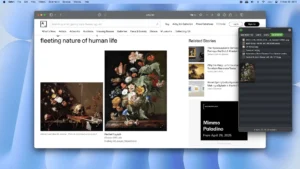
The highlighted feature of Bloom is the Dual Pane file manager. You can split the window in two, three or even four panes. Then you can drag the files from one folder to another folder without moving the windows. There is an option of Sync Browsing. You can turn it on and once you click through the folders on the left, your content will show automatically on the right.
Main Features
- Quick access to important items
- Focus mode for better productivity
- Custom workspace layout options
- Easy navigation controls
- Real-time updates and syncing
- Clean and distraction-free interface
- Integrated file organization tools
- Minimal design for better clarity
- Smooth multitasking support
- Smart task organization system
Bloom 1.5.50 for Mac Get Official
Screenshots
System Requirements
- Operating System: macOS 10.14 or higher
- Free HDD: 2 GB
- RAM: 4 GB
- Processor (CPU): Native Apple Silicon + Intel support
- Monitor: 1280×1024 monitor resolution
✓What’s New in 1.5.50
- [New] Added a Revert command.
- General performance optimizations.
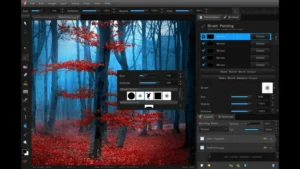
- Selected layers are now outlined on the canvas. This can be enabled or disabled in Preferences.
- Hovering over the layers with the move tool now highlights them.
- Images are now auto-rotate on load according to their EXIF orientation.
- Fixed cases where zooming in and out of an image would be slow for complex scenes.
- Fixed cases where Magic Wand selection could cause a crash.
- Fixed cases where RAW images with orientation would not be imported correctly.
- Fixed cases where native Bloom files with the same image used in several layers would not load correctly.
Download Bloom 1.5.50 for Mac Technical Setup Details
| Software File Name | Bloom 1.5.50 |
|---|---|
| Software Name | Bloom 1.5.50.dmg |
| Version | 1.5.40 |
| File Size | 21 MB |
| Developer | Repo Prompt |
How to Download Download Bloom 1.5.50 for Mac
- Check the requirements. Make sure your MacOS version has 12 of free storage space.
- Click the Download button. Find the download button in this page and choose the version for your device (Apple Silicon, Intel, or 64-bit).
- Wait for the file to finish. Wait for the file to start downloading. Look for the [.dmg/.exe] file in your Downloads folder.
- Open the installer. Double-click it and follow the on-screen prompts. On Mac, drag the app into Applications.
- Launch and update.
- Open Bloom 1.5.50, allow any permissions, and install the latest update.
Posted in Application, Tools & Utilities.
Alternative
 Download Noir – Dark Mode for Safari 2026.2.3 for MacApplication, Tools & Utilities · Nov 12, 2026
 Download Bear Notes 3.0.4 for MacApplication, Office, Productivity · Nov 23, 2026
 Download CrossOver 26.3.0 for Mac: What’s New, Full OverviewApplication · Nov 21, 2026
 Adobe Illustrator 2027 (31.0) for MacAdobe, Application, Graphics & Design · Nov 19, 2026
 Download Camtasia 2027.0.0 for Mac: What’s New, PriceApplication · Nov 21, 2026